NEWS • INSIGHTS • PERSPECTIVES


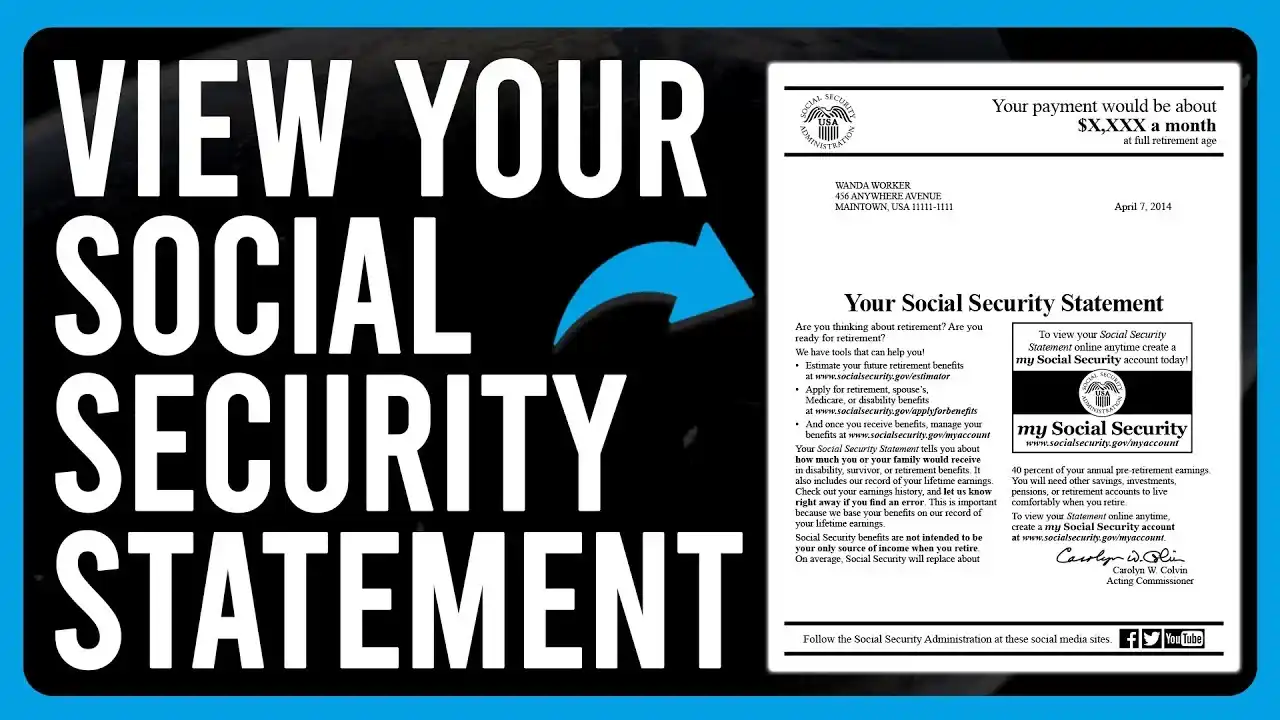
The fastest way to get your Social Security Statement is online. Create a free my Social Security account at ssa.gov/myaccount, sign in with Login.gov or ID.me, and your statement opens as a PDF you can save or print. If you are 60 or older and not yet collecting benefits, the Social Security Administration (SSA) will mail one about three months before your birthday. Anyone else can request a paper copy with Form SSA-7004. Most people never look at this document until retirement is close, which is a mistake. It is the one place you can see exactly what the government has on file for your earnings, and a missing year of wages can quietly shrink your future check. Below: how to get your statement today, what to do when the login fights back, and what to check once you are in.What Is a Social Security Statement?
What Is a Social Security Statement?
A Social Security Statement is a personalized, two-page report from the SSA. Page one estimates your monthly retirement benefit at ages 62 through 70, plus what you or your family could receive if you become disabled or die. Page two lists your earnings year by year, the wages taxed for Social Security and Medicare, and how much you have paid in. For anyone born in 1960 or later, full retirement age is 67.
The projections assume you keep earning about what you earn now until you claim, so treat them as a planning figure, not a promise. If you already collect benefits, the projection chart disappears, but the earnings record and the explanation of how your payment was calculated stay.
How to Get Your Social Security Statement Online
Plan on a few minutes if you already have a Login.gov or ID.me account, and longer the first time because of identity verification.
- Gather your details. Have your Social Security number, a phone that can receive texts, an email address, and a government photo ID such as a driver’s license or passport within reach.
- Go to ssa.gov/myaccount. Type the address into your browser yourself instead of clicking a link from an email or text.
- Pick Login.gov or ID.me. Either one works. SSA suggests Login.gov if you are unsure, and if you already hold either account you can use it as is.
- Create the account and verify your identity. You will set an email, password, and multi-factor authentication, then prove who you are with a photo of your ID and, often, a selfie.
- Sign back in to SSA. After verification, return to ssa.gov/myaccount and sign in with the same credentials to reach your personal account.
- Open your statement. Select your Social Security Statement, then view, save, or print it. You can return anytime for an up-to-date version.
Social Security Statement Login: Login.gov vs. ID.me
You only need one. If you already have either, use it.
| Login.gov | ID.me | |
| Who runs it | Federal government | Private identity-verification company |
| If automated checks fail | In-person verification at participating post offices | Remote video call |
| Living abroad | See ssa.gov/foreign | Listed by SSA for overseas access (domestic earnings only) |
| Best for | Most people; SSA’s default suggestion | People who already have ID.me or live overseas |
Social Security Statement by Mail: Who Gets One and When
Paper statements are the exception now. The SSA suspended mass mailings in 2011 to cut printing and postage costs, about $70 million a year at the time, resumed a limited schedule in 2014, and since 2017 sends them automatically only to a narrow group.
When should I receive my Social Security statement?
| Your situation | What happens |
| Under 60, no online account | Nothing arrives automatically. Create an account or send Form SSA-7004. |
| 60 or older, no account, not collecting benefits | Mailed about three months before your 60th birthday, then every year until you claim or create an account. |
| Any age, with an online account | View it online anytime. |
| Already collecting benefits | Available online; shows how your benefit was calculated and your earnings record. |
To request a copy by mail at any age, print Form SSA-7004, fill it out, and send it to the address on the form. Allow four to six weeks.
Social Security Statement Login Problems and Fixes
- Verification keeps failing. Retry with a sharp, well-lit photo of your ID. If it still fails, contact Login.gov or ID.me support directly; each runs its own help center.
- Your old SSA username stopped working. Those were retired on June 7, 2025. Sign in through Login.gov or ID.me instead.
- You cannot verify online at all. Call SSA at 800-772-1213 to book an appointment at your local office. Login.gov also offers in-person verification at participating post offices.
- You live outside the U.S. SSA says people abroad can view the statement with an ID.me account, though it shows domestic earnings only. Details at ssa.gov/foreign.
- You are waiting on a mailed copy. Under 60? None is coming automatically. Use the online route or Form SSA-7004.
What to Check Once Your Statement Opens
Glance at the benefit chart if you like, then spend your time on page two.
- Earnings, year by year. Compare them with your W-2s or tax returns. A missing year or a wrong number can lower your benefit.
- Name and date of birth. Small typos can cause big headaches at claiming time.
- The assumptions. Projections assume similar wages until you claim and leave out Medicare premiums and income taxes, so your take-home will differ.
Found a mistake? Gather a W-2, tax return, or pay stub, then report it through your online account, at 800-772-1213, or at a local office. You generally have three years, three months, and 15 days after the end of the tax year to fix an error, though exceptions exist for employer reporting mistakes, clerical errors, and identity theft.
Avoid Social Security Statement Scams
Your statement is free. Anyone charging for it, or asking you to pay to “unlock” your account, is not the SSA. Use only ssa.gov, never share Login.gov or ID.me codes with a caller or texter, and report suspicious contact to the SSA Office of the Inspector General at oig.ssa.gov.
Final Thoughts
Your Social Security Statement is one of the few documents that shows, in plain numbers, what decades of work have added up to in the eyes of the federal government. It is free and takes a single sitting to set up, yet most people only open it when retirement is already close. By then, a missing year of wages or a mistyped figure is much harder to prove, because old pay stubs are gone and former employers may have closed. The login process puts many people off, since Login.gov or ID.me means a photo ID, a selfie, and some patience. It is a one-time cost, though. Once you are verified, you can check your statement whenever you like and later apply for benefits without starting over. If the first attempt fails, post office verification, the ID.me video call, and your local Social Security office are all real fallbacks.
Social Security Statement FAQs
How do I check my Social Security statement?
Create or sign in to your my Social Security account at ssa.gov/myaccount using Login.gov or ID.me, then open your statement to view, save, or print it. You must be 18 or older with a Social Security number.
Is the Social Security statement free?
Yes. Viewing it online costs nothing, and so does requesting a paper copy with Form SSA-7004. Be wary of any site that asks for payment.
When should I receive my Social Security statement?
If you are 60 or older, are not collecting benefits, and have no online account, SSA mails one about three months before your 60th birthday and every year after. Everyone else must get it online or request it.
Can I get my Social Security statement without a computer?
Yes. Request a paper copy with Form SSA-7004 and expect it in four to six weeks, or call SSA at 800-772-1213 to ask about other options.
Do I still need an SSA username and password to log in?
No. Since June 7, 2025, SSA accepts only Login.gov or ID.me. If you already have either, your existing account works.
What if my statement shows wrong earnings?
Collect proof such as a W-2 or tax return and report it online, by phone, or at a local office. Act soon, because the standard correction window is three years, three months, and 15 days after the tax year ends.
Can I get my statement while living abroad?
Yes, with an ID.me account, though it shows domestic earnings only. See ssa.gov/foreign for details.
Is the estimate on my statement guaranteed?
No. It assumes you keep earning at a similar level until you claim, and it does not factor in Medicare premiums or taxes.